How to Transcribe Video to Text for Content That Converts
At its core, getting a transcript from a video is pretty simple. You take a video file or a URL, pop it into an AI tool, pick the language, and let the software work its magic. What you get back is a time-stamped text file that you can clean up and export.
But that’s just the how. The why is far more interesting.
Why Transcribing Your Videos Is a Growth Multiplier
Before we get into the nitty-gritty, let's talk about why this is such a big deal. Thinking of transcription as just "getting the words down" is missing the point entirely.
It's about turning a single piece of content into a workhorse for your brand. That 30-second TikTok you filmed can become a full-blown blog post that starts climbing the ranks on Google. That Reel you posted can suddenly hold viewers' attention longer because the captions are perfectly synced. This is the real power of transcription.
For the creators and marketers who are really crushing it, this isn't an afterthought—it's step one. They know that the audio in their video is a goldmine of untapped potential.
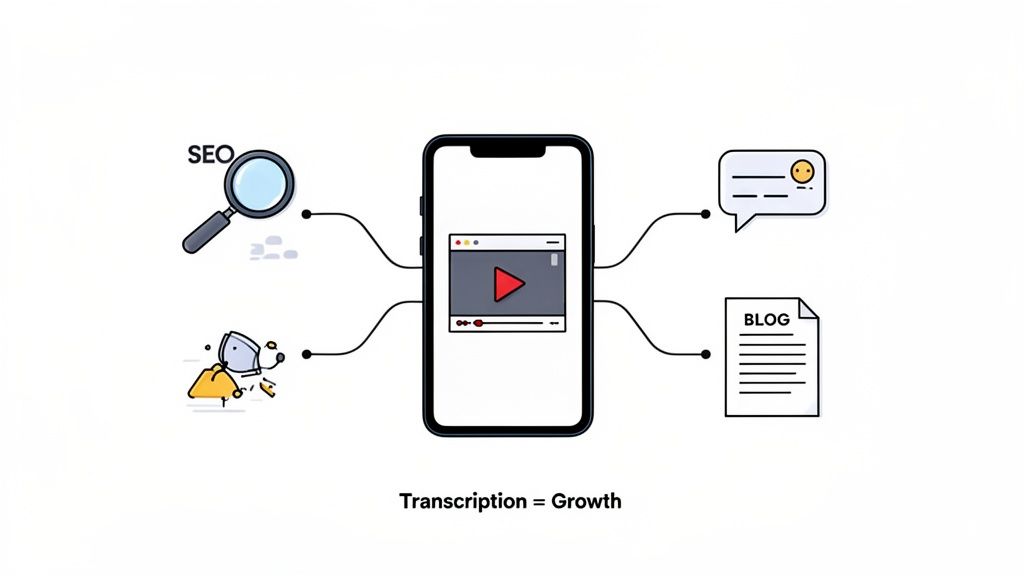
This graphic from Transcriby's homepage nails it. It shows how one video can branch out to fuel multiple channels, from SEO-rich articles to snackable social media updates. Transcription is the bridge that connects your visual content to the text-first world of search engines and accessibility.
Boost Your SEO and Discoverability
Here’s a hard truth: Google can't watch your video. But it can read.
When you transcribe your video, you’re essentially handing search engines a perfectly indexed, keyword-rich script of everything you said. All those valuable phrases and insights are no longer locked away in an audio file; they're visible to the bots that decide who ranks for what.
It’s one of the most direct and underrated ways to get your video discovered by people who aren't already on your social channels.
The impact is huge. We've seen videos with transcripts start ranking on the first page of Google, bringing in a completely new stream of organic traffic. It makes your video infinitely more valuable from an SEO standpoint.
The market is catching on. In the U.S. alone, the transcription industry hit a whopping $30.42 billion, and it's only getting bigger. As video becomes the default for communication, transcription is the key to turning that footage into discoverable, searchable content that pulls in new audiences. You can dig into more data on the transcription market to see just how massive this trend is.
Make Your Content More Accessible
Let's be clear: accessibility isn't just a "nice-to-have" anymore. It's essential.
A huge chunk of your audience might be deaf or hard of hearing. Even more people are watching your videos with the sound off—scrolling on the bus, in a quiet office, or just multitasking at home.
Transcripts and the captions you create from them make sure everyone can get your message. When you provide a text version of your content, you’re building a more inclusive experience. That’s how you build loyalty and make sure your message can reach the widest possible audience.
Preparing Your Video for a Flawless Transcription
The secret to a great transcript isn't the AI tool. It’s the video you feed it.
Garbage in, garbage out. An AI is only as good as the audio it hears, and spending just a few minutes on prep work can save you a ton of editing headaches later. A clean audio track is the single most important factor for getting a usable text output, period.
This is especially true for short-form content. You're often dealing with fast-paced talking, background music, and less-than-perfect recording setups. A humming air conditioner or a busy street outside can easily trip up even the best software. Your goal is to give the AI the cleanest possible signal to work with.
Optimize Your Audio and File Format
Before you even think about transcribing, just listen to your source file. Can you hear the main speaker clearly? If the audio is muddy, a little cleanup goes a long way.
- Kill the Background Noise: You don't need fancy software. Free tools like Audacity have a surprisingly good noise reduction feature. Even mobile video editors often have basic audio enhancement settings that can filter out background hum.
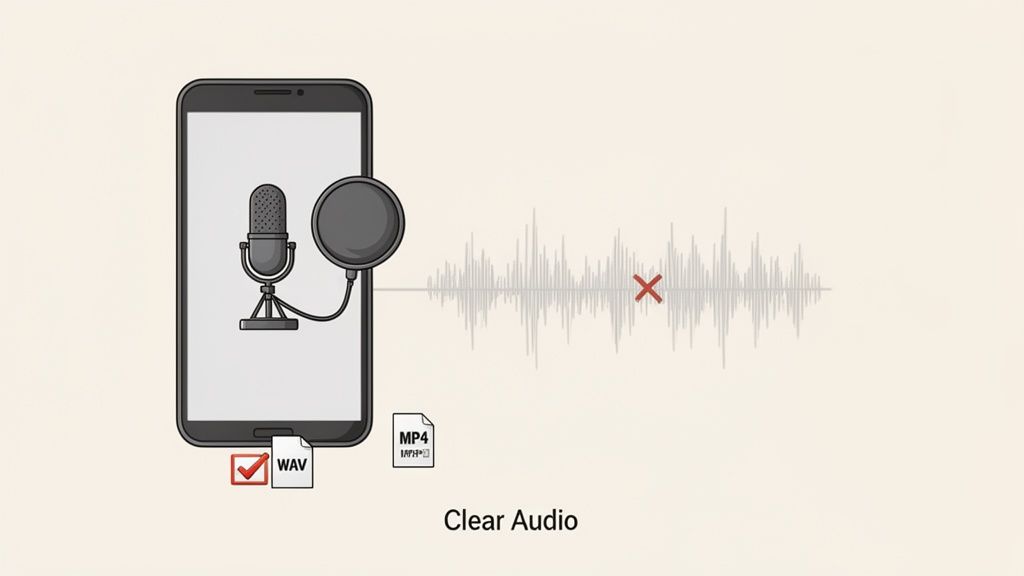
- Pick the Right Format: Most transcription tools handle standard video files like MP4 without a problem, but it's the audio codec inside that really matters. If you have the option, exporting to an uncompressed audio format like WAV is ideal. For audio-only uploads, a high-quality M4A or MP3 also works great.
A clean audio file is non-negotiable. I've seen transcription error rates plummet from a messy 15% down to under 5% just by running the audio through a simple noise reduction filter first. It’s the highest-leverage thing you can do.
How to Grab Your Video Link
Forget downloading and re-uploading. Most modern tools, like Transcriby, are built to work directly from a URL. You just need to know where to find it on each platform.
It's super simple. Here's a quick rundown:
On TikTok:
- Open the video you want to use.
- Tap the Share button (the little arrow icon).
- Hit Copy Link. Done.
On Instagram Reels:
- Go to the Reel.
- Tap the three-dots menu (...) in the bottom corner.
- Choose Link to copy that URL right to your clipboard.
On YouTube Shorts:
- While the Short is playing, tap the Share button.
- From the menu that pops up, tap Copy link.
With a clean audio source and your link copied, you’ve done all the heavy lifting. You're now set up to get a fast, accurate transcript you can actually use.
Your Guide to Instant Automated Transcription
Alright, you've got your video link ready. Now for the fun part—turning that footage into actual, usable text. This is where we leave the mind-numbing, pause-and-rewind drudgery behind and embrace the speed of modern AI. We're talking minutes, not hours.
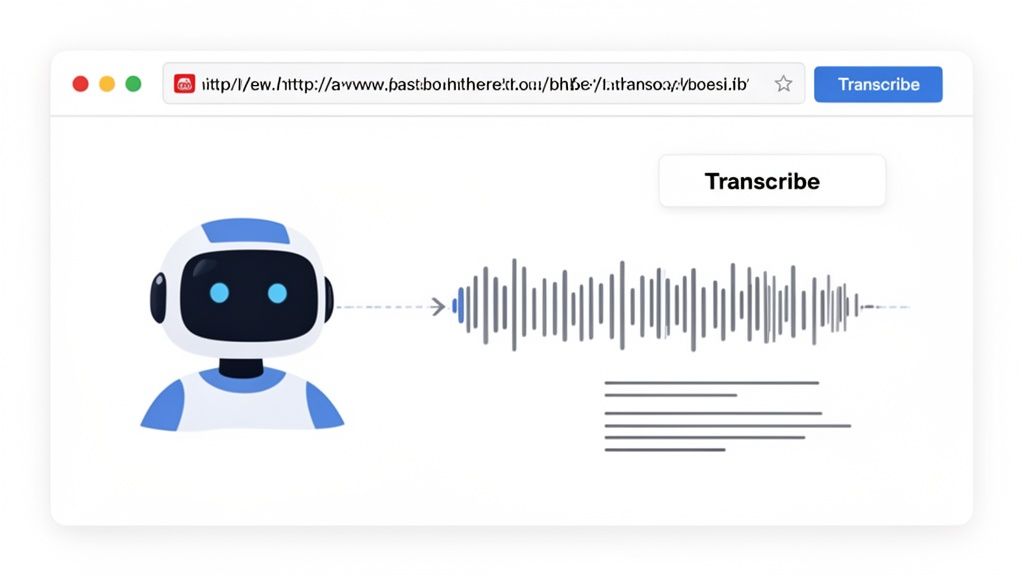
The whole thing is surprisingly simple. You just copy the URL from TikTok, YouTube Shorts, or Instagram and paste it right into the transcription tool. That one little action kicks off a powerful automated process behind the scenes.
This tech is a game-changer for creators. The automated transcription market has already blown past $4.5 billion globally, mostly because we all need to repurpose content faster. An AI tool like Transcriby can chew through audio 3-5 times faster than a person. For clear audio, the error rates are often under 5%, making it a no-brainer for anyone on a tight schedule. If you want to dive deeper into the numbers, check out the latest automated transcription statistics.
Deciding between manual and automated transcription used to be a tough call, but for short-form video, the choice is pretty clear.
Manual Transcription vs Automated Transcription
| Feature | Manual Transcription (Human) | Automated Transcription (AI) |
|---|---|---|
| Speed | 24-48 hours | 1-5 minutes |
| Cost | $1.50 - $5.00 per minute | Pennies per minute |
| Accuracy | Up to 99% with professionals | 90-95% (for clear audio) |
| Best For | Legal, medical, complex audio | Social media, content marketing, SEO |
While human transcriptionists are incredible for complex, high-stakes projects, AI is built for the speed and scale that modern content creation demands.
Setting Up Your Transcription Job
After you paste your link, you'll see a language option. Don't skip this. Even if the video is in English, explicitly select "English." This tells the AI which specific phonetic library and grammar rules to use, which makes a huge difference in accuracy.
Imagine your video is in Spanish. If you leave the setting on a default, the AI might misinterpret words based on English sounds. Choosing "Spanish" locks it into the right model.
Once you hit that "Transcribe" button, here's the quick play-by-play:
- The Fetch: The tool grabs the video file from the URL you provided.
- Audio Isolation: It immediately strips out the audio track, completely ignoring the video pixels.
- Speech-to-Text Conversion: Now the AI gets to work, breaking down the audio waveform into the smallest sounds (phonemes) and using massive language models to figure out which words they form.
The AI isn’t just listening; it’s predicting. It analyzes patterns from millions of hours of speech to determine the most likely sequence of words, even if there’s background noise. That predictive power is its secret weapon.
Understanding the Output
For most short-form videos, you'll get your full, time-stamped transcript back in less than a minute. This isn't just a wall of text. Every word or phrase is tied to a specific point in the video, which is crucial for making captions or finding that one perfect quote later.
Think of this raw transcript as your first draft. It's a massive head start that just saved you from a ton of tedious work, capturing the core message, who’s speaking, and the timing with solid precision. This is the foundation you'll use to build everything else.
How to Refine and Polish Your AI Transcript
The raw AI output is a fantastic head start, getting you about 95% of the way to a perfect transcript. But that last 5% is where the magic happens. A few minutes of human review can transform a decent draft into a polished, professional asset.
Frankly, this step is non-negotiable if you want your content to be taken seriously.
This cleanup phase isn't about rewriting; it's about refining. AI is incredibly smart, but it can easily stumble over the nuances of human speech—things like unique names, industry jargon, or the natural cadence of a conversation. Your job is to catch these small but critical errors.
Think of it as proofreading a document before you hit send. You’re not just hunting for typos; you're making sure the final text is clear, correct, and ready for whatever you have planned next.
Your Essential Cleanup Checklist
Before you hit export, run through this quick mental checklist. It’s a simple process that catches the most common AI slip-ups and makes a huge difference in the final quality. This isn't just for accuracy; it's for readability.
Here’s what to keep an eye out for:
- Misspelled Names and Brands: AI often butchers unique names like "Siobhan" or brand names it hasn't been trained on, like a new startup called "Synthify." Quickly scan for any proper nouns and fix them.
- Industry Jargon: If you're a financial advisor talking about "dollar-cost averaging," the AI might hear something completely bizarre. Correct any specialized terms it mangled.
- Punctuation and Flow: AI tends to play it safe with punctuation. Be liberal with adding commas, periods, and new paragraph breaks to make the text scannable and easy to digest.
- Speaker Labels: If your video has multiple speakers, double-check that the AI assigned the right lines to the right person. It can get confused, especially when people talk over each other.
A clean transcript builds trust. When you repurpose it into a blog post or captions, small errors can distract your audience and make your content look unprofessional. Investing five minutes in a review protects your brand’s credibility.
Choosing the Right Export Format
Once your transcript is looking sharp, the final step is exporting it. The format you choose isn't a minor technical detail; it's a strategic choice that will save you a ton of time later.
Your decision comes down to what you plan to do with the text.
Here are the two most common options and when to use each:
- TXT File (Plain Text): This is your best friend for content repurposing. A simple .txt file gives you a clean, unformatted block of text that’s perfect for pasting into a blog post, an email newsletter, or a LinkedIn article. It’s simple, universal, and clutter-free.
- JSON or SRT File (Timestamped): Pick one of these when you need to sync the text back to the video. SRT is the industry standard for video captions on platforms like YouTube. JSON is a more flexible format for developers who might want to build custom applications with the transcript data.
By making these quick refinements and choosing the right format, you’ve turned raw data into a versatile, high-quality asset. You're now ready to use that transcript to power any content strategy you can dream up.
Turning Your Transcript Into High-Performing Content
A polished transcript isn't the finish line. Think of it as the starting block. That raw text file is the material for a dozen new content ideas just waiting to be unleashed across all your channels.
When you master transcribing your videos, you're not just creating a document—you're building a content engine. This is how you make every single video work harder for you. Instead of constantly brainstorming new ideas from scratch, you can mine your existing content for gold. You'll save time and dramatically expand your reach.
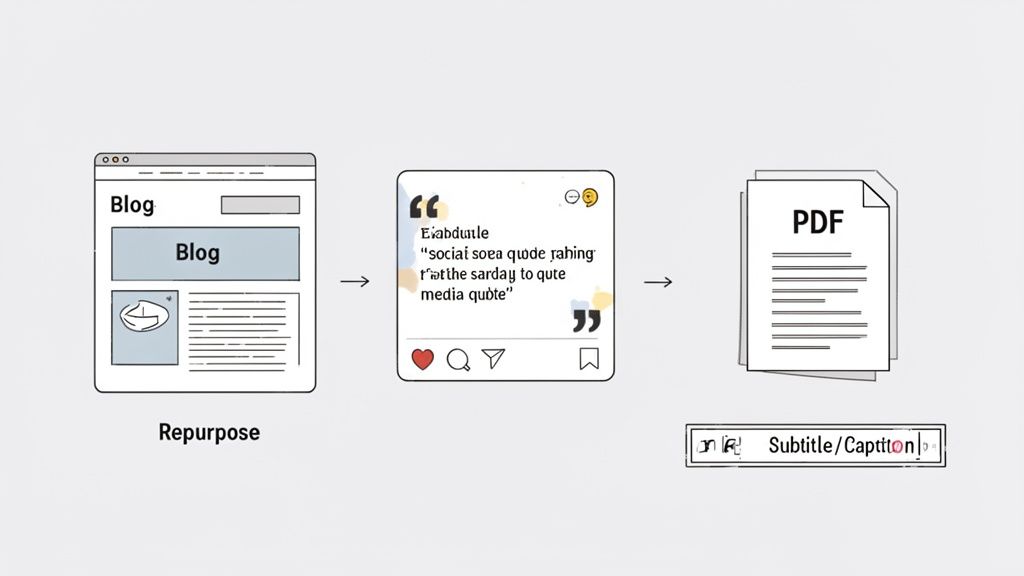
From Video Hook to Blog Post Intro
Those first three seconds of your short-form video are everything. They're meticulously crafted to stop the scroll. That same powerful hook is the perfect introduction for a blog post on the same topic.
Just grab the opening lines from your transcript and use them as the first paragraph of a new article. It's a simple move, but it guarantees your written content kicks off with the same magnetic energy that made your video so compelling in the first place.
Pull Quotes for Shareable Social Graphics
Next, scan your transcript for the gold nuggets: the most insightful, funny, or impactful sentences. These are your "killer quotes."
Drop these one-liners into a simple graphic template using a tool like Canva. In minutes, you’ll have a whole batch of high-impact visuals ready for Instagram, X (formerly Twitter), or LinkedIn. Each graphic reinforces your message and can drive traffic right back to the original video or a related blog post. You’ve just turned passive text into active engagement.
Repurposing a single video transcript into five social media quote cards can increase the original content's reach by over 200%. It’s a low-effort, high-reward strategy for getting more mileage from your work.
Build a Lead-Generating PDF
Did your video walk through a tutorial, a checklist, or a step-by-step process? Your transcript is the perfect foundation for a valuable lead magnet.
Organize the key steps from the text into a clean, well-designed PDF guide. Slap on a title page and a call-to-action, then offer it as a free download on your website in exchange for an email address. Just like that, you’ve turned a 60-second clip into a powerful list-building asset.
Create Perfectly Synced Captions
This is probably the most direct and powerful use of your transcript. Upload the timestamped SRT file directly to the platform where you posted the video. Accurate captions can significantly boost watch time, especially since so many people watch content with the sound off.
This explosion in content repurposing is driving huge market growth. The global AI transcription market is projected to hit $19.2 billion, fueled by a massive 15.6% CAGR. This boom directly mirrors the explosion of short-form video, where creators need to quickly transcribe clips for captions and SEO. You can find more insights on video transcription stats to see how efficiency is shaping this trend.
Analyze the Script to Replicate Success
Finally, treat your transcript like a blueprint. Why did a particular video absolutely crush it? The answers are in the text.
Break it down to understand its structure:
- The Hook: What was the exact opening line that grabbed viewers?
- The Pacing: How quickly did you get to the core value?
- The Climax: What was the most valuable piece of information you shared?
- The CTA: How did you wrap things up and tell them what to do next?
By dissecting the script, you can spot the patterns that resonate with your audience. Then, you can apply them to your next video, turning past success into a repeatable formula.
Got Questions About Video Transcription? Let's Clear Them Up.
Even with the best tools, you're bound to have questions when you first dive into transcribing video. I've been there. To save you some time, I’ve pulled together the most common questions I hear from creators and marketers, along with some straight-up, practical answers.
Think of this as your personal FAQ. These are the little things that can get in the way of a smooth workflow, so let's tackle them head-on.
Can I Transcribe a Video with Multiple Speakers?
Yes, absolutely. This is a standard feature for most modern AI transcription tools. The software is smart enough to analyze different voice patterns and frequencies to tell people apart.
When you get your transcript back, you’ll typically see generic labels like "Speaker 1" and "Speaker 2." From there, it’s a simple find-and-replace job during your manual review to swap in the actual names. Easy peasy.
How Accurate Is AI Transcription, Really?
Honestly, it's gotten incredibly good. For a video with clear audio, you can expect 90-95% accuracy, sometimes even higher. The single most important factor is your audio quality. If you have a clean recording with little to no background noise, the AI will deliver a nearly perfect transcript.
But, a few things can trip it up:
- Loud background noise: Cafes, street sounds, or even loud music can muddle the dialogue for the AI.
- Thick accents or rapid-fire speech: The tech is improving, but strong regional accents or talking a mile a minute can still lead to mistakes.
- People talking over each other: If speakers are interrupting one another, the AI can struggle to separate who said what.
My Go-To Tip: Before you even think about transcribing, run your video’s audio through a quick noise-reduction filter. You can find free tools online for this. That one extra step can boost accuracy so much that it'll save you a ton of editing time later.
What's the Best File Format for Transcription?
While you can paste a URL for an MP4 from most platforms and call it a day, the real answer is all about the audio. If you're uploading a file from your computer, an uncompressed format like WAV gives the AI the most raw data to analyze, which almost always means a better result.
For everyday short-form content from TikTok or YouTube, just pasting the link is the fastest way to go. The service does all the heavy lifting for you. But if you’re working with a file that has iffy audio, I’d suggest cleaning it up a bit first and then exporting it as a high-quality MP3 or M4A.
How Long Does It Take to Transcribe a Video?
This is where you really see the magic of automated tools. For a typical 60-second clip, you'll often have a full transcript in less than a minute. Even a longer 10-minute video usually only takes a few minutes, depending on the platform's current server load.
It's a complete game-changer compared to manual transcription, which could easily take an hour for that same 10-minute video. This speed means you can jump on repurposing your content almost instantly, letting you stay relevant and keep your content calendar full.
Powered by the Outrank app